QUANTXBOT Setup Guide
The estimated setup time is approximately 20 minutes.

GTC Global

Multibank Solutions

Star Trader
GTC Setup
For Video Tutorial Scroll Down to end
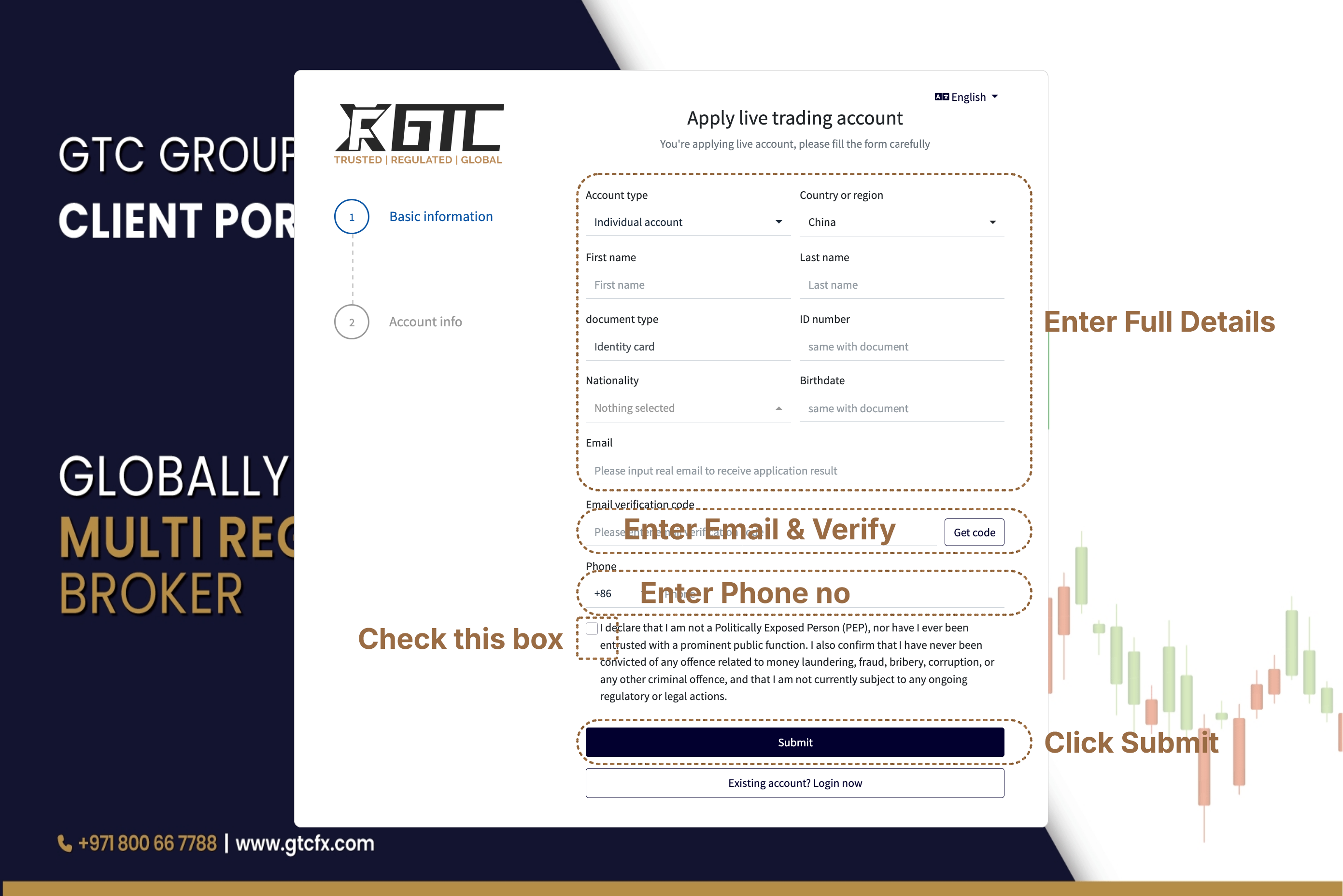
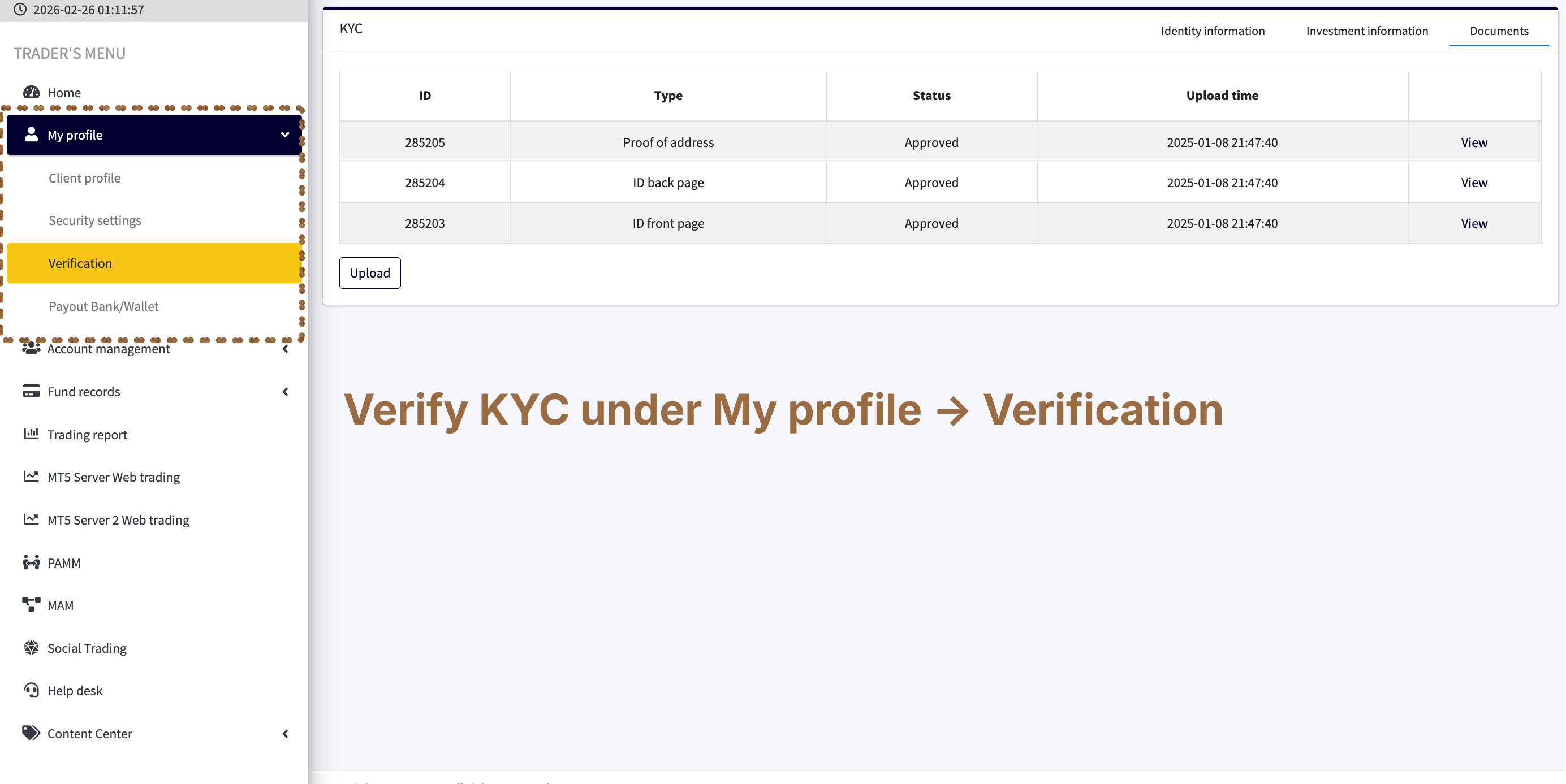
Step 1 — Open Account & Complete KYC
Click to Register → Verify email → Upload ID & address proof For KYC.
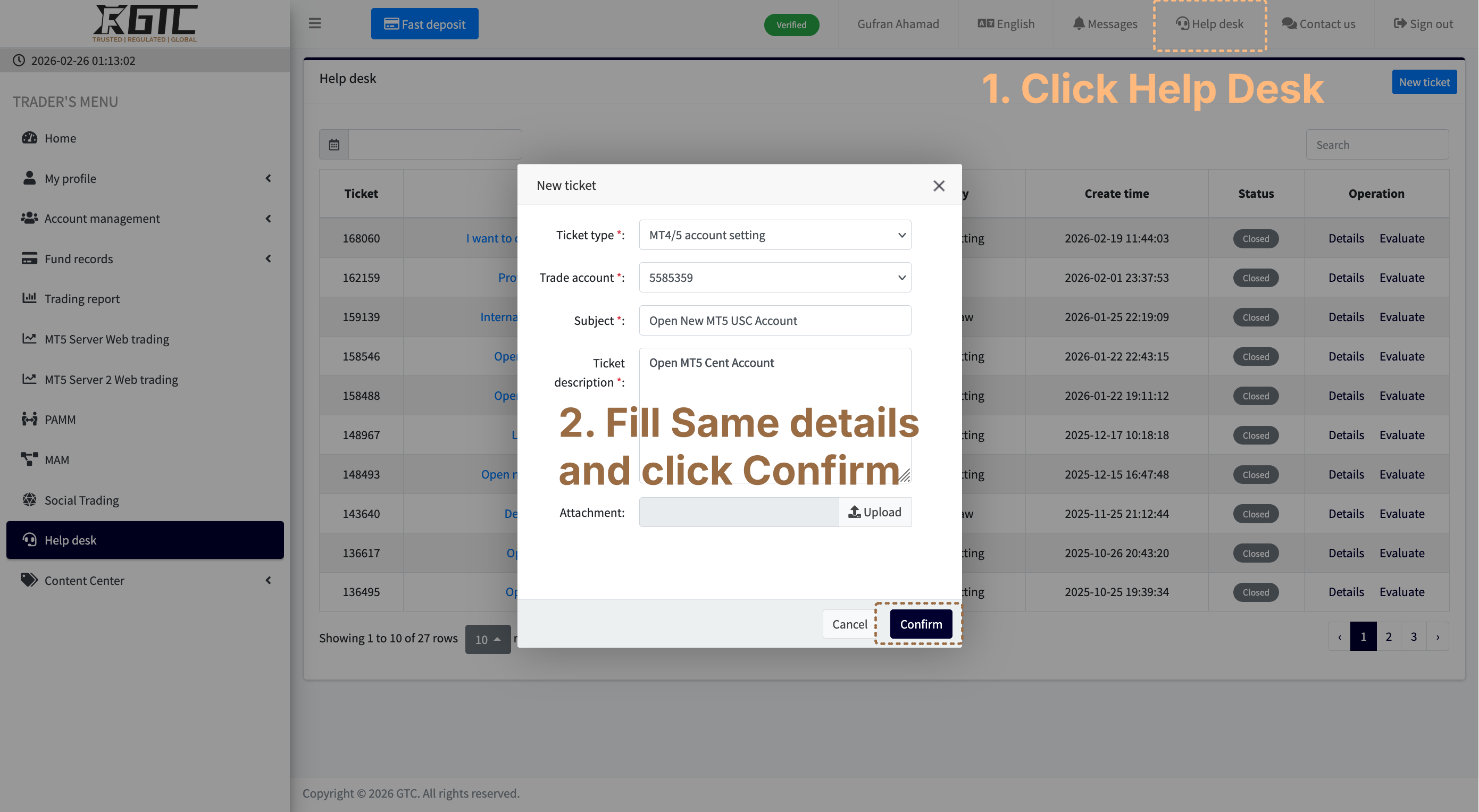
Step 2 — Request Cent MT5 Account
Click Help Desk → Create Ticket → Write "Open Cent Account L10" → Submit.
It can take upto 20 min so wait till Account open
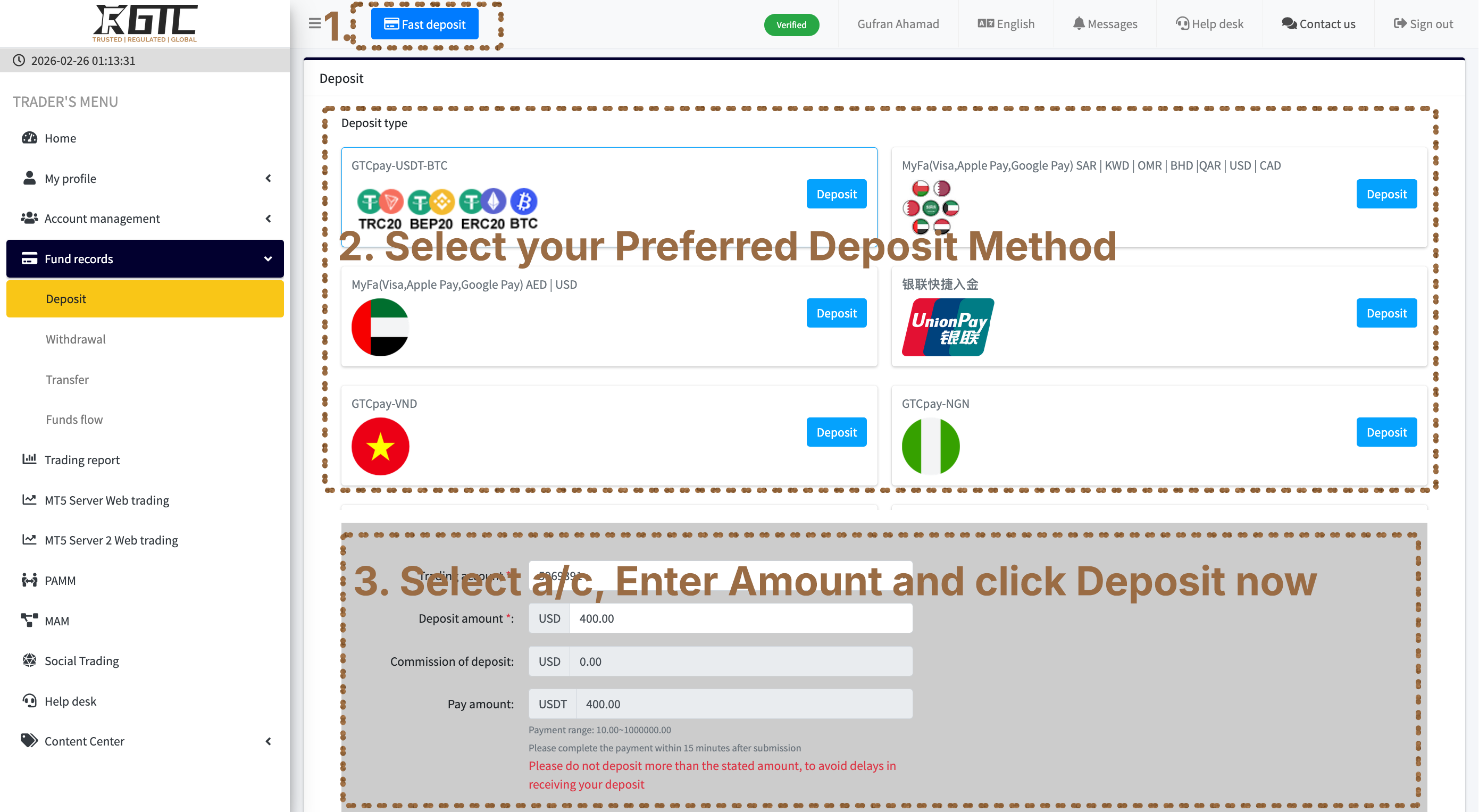
Step 3 — Deposit USDT
Click Fast Deposit → Choose Fund Deposit Source → Complete Steps.
Step 4 — Connect QuantxBot
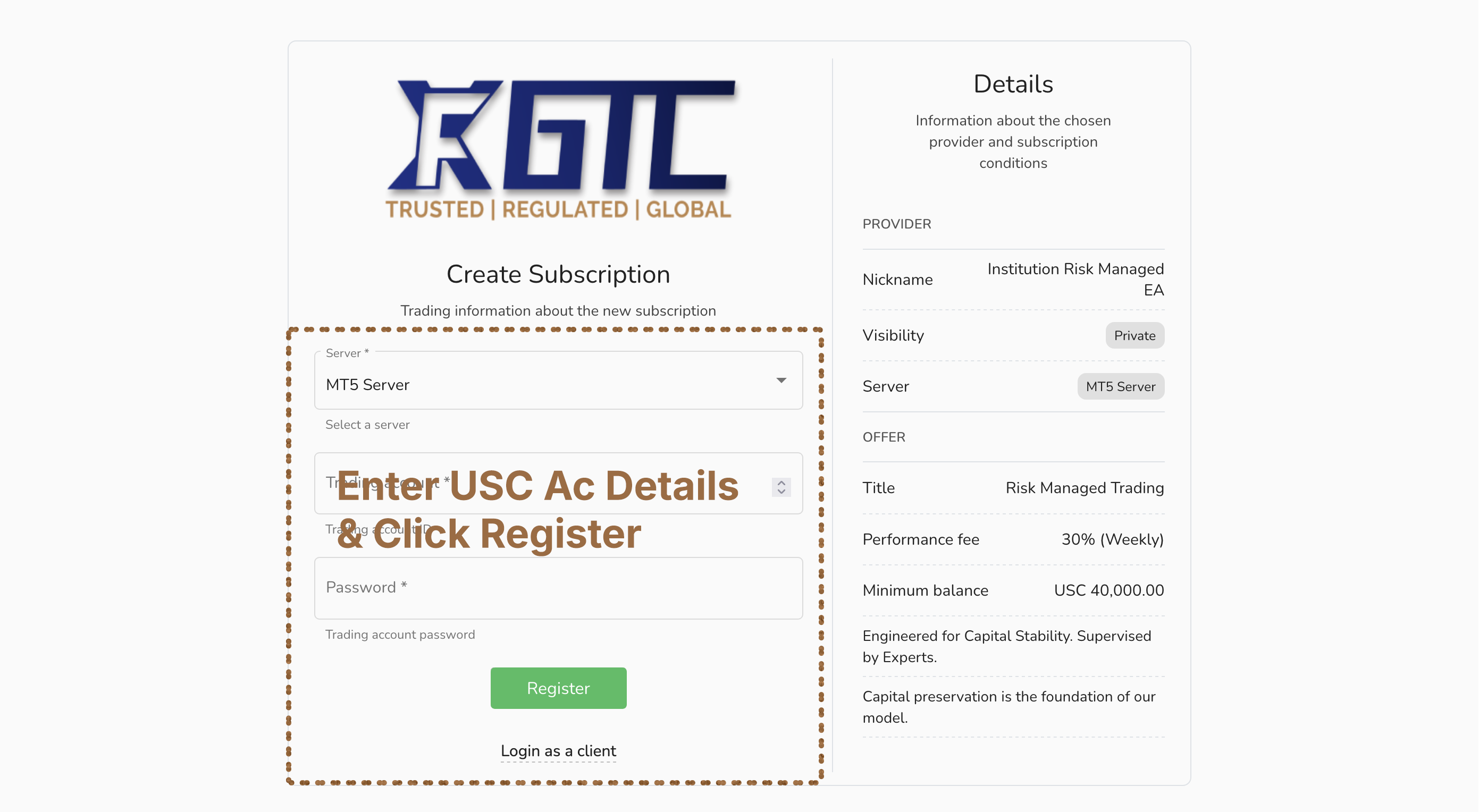
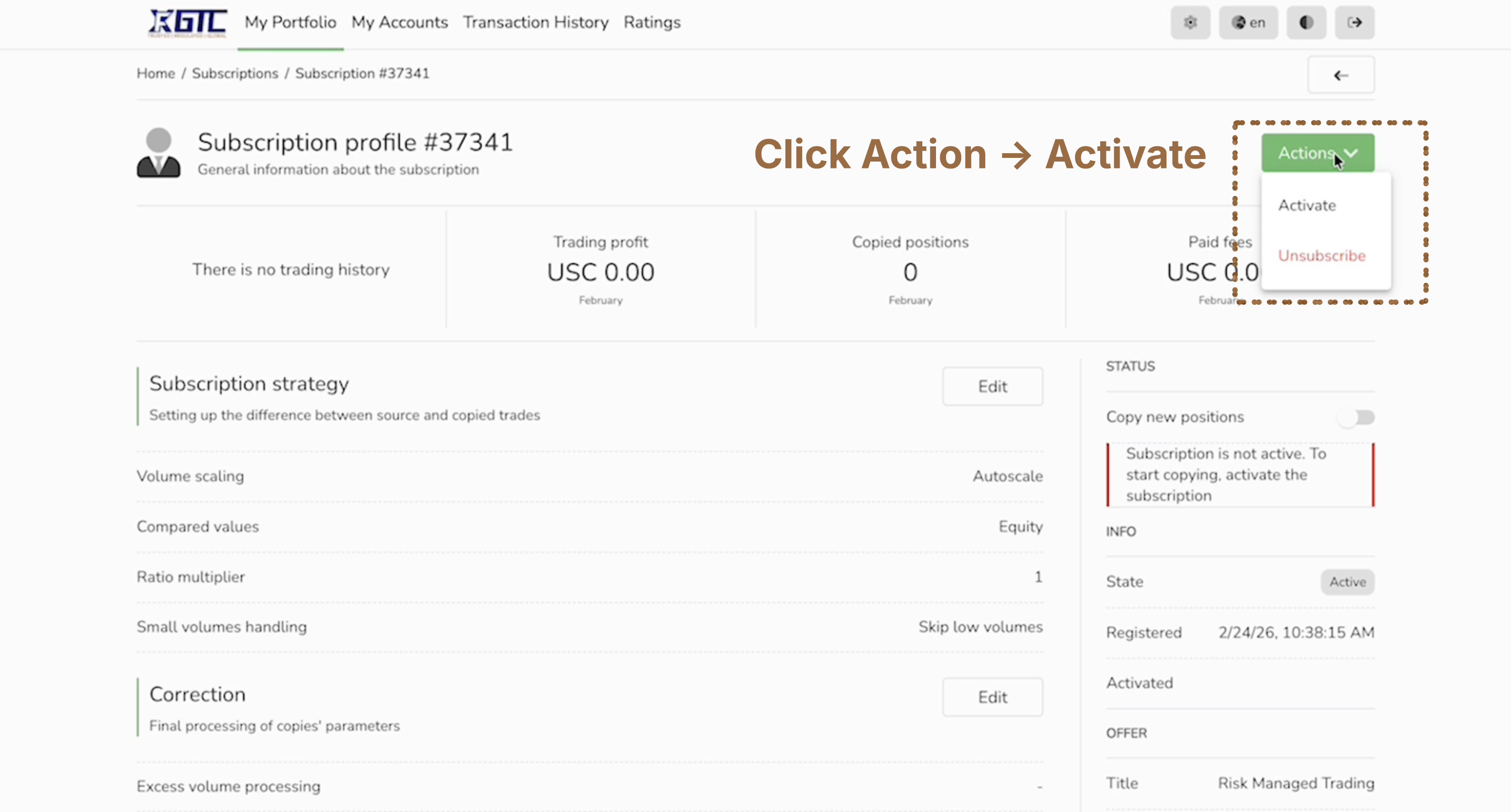
Click to Connect → Enter Cent A/c Details → Enter password → Login → Click Action → Subscribe.
Alright You Have Done all Steps just sit back relaxed when bot start trading you will see it on your account
Watch Video to Understand How to Connect Your GTC Account with Quantxbot
Open video directly on YouTube if the embedded player is blocked on your network/browser.